
Why Product Feeds Matter More Than Most Advertisers Realize
Many online retailers blame bidding strategies, or ad spend, when their Google Ads campaigns underperform. In reality, the problem often starts earlier in the product feed connected to the Google Ads account.
Research shows that 94% of customers leave when they cannot find the product information they need, highlighting how critical complete product data is for visibility and performance.
Unlike search campaigns, Google Shopping campaigns rely on product data from the Google Shopping feed in Google Merchant Center. Google analyzes this feed to decide when your products appear, where they show in Google’s search results, and which users see them.
When the shopping feed is clear and structured, Google can match your listings to relevant searches. If the feed is incomplete, visibility drops, leading to wasted spend and poor performance.
This is why optimizing the product feed is often one of the most effective ways to improve Google Ads performance and increase return on ad spend.
Step 1: Understand What Google Shopping Ads Actually Are
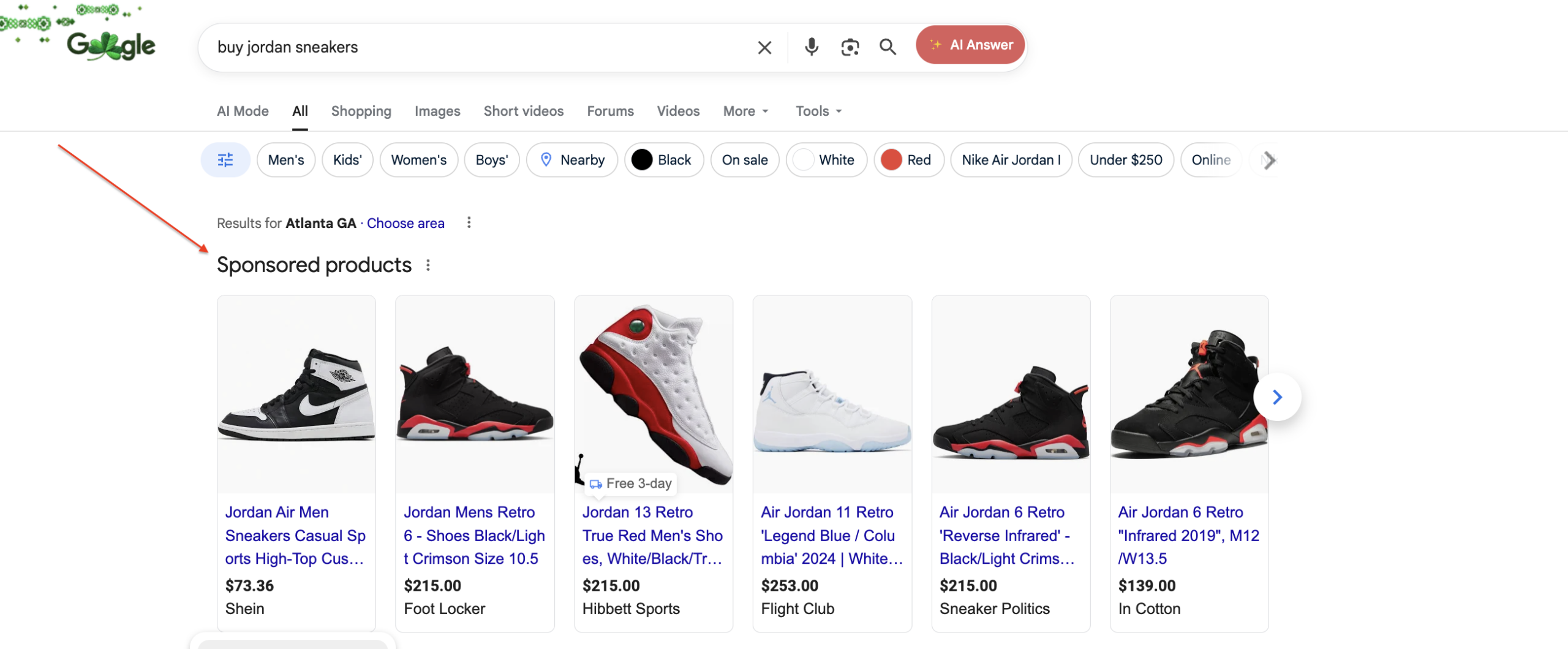
Google Shopping ads are product-based ads rather than keyword-based ads.
In traditional search campaigns, advertisers choose keywords, organize ad groups, and control ad copy to target specific search queries. With Google Shopping campaigns, Google uses the product data in your shopping feed to determine which searches your listings should appear for.
Shopping ads can appear in several places, including the top of Google’s search results, the shopping tab, across the display network, and within smart shopping campaigns or Performance Max campaigns.
Google determines relevance based on several factors, including product titles, product categories, images, price, availability, and landing page consistency. Because of this system, the quality of the product feed strongly influences how often your products appear for relevant searches.
If the feed is weak, even advanced bid strategies or adjustments to budget management will not fully fix the issue.
Step 2: Merchant Center Health = Visibility
Before adjusting campaigns or changing smart bidding settings, it is important to review the merchant center account.
Google Merchant Center is where the shopping feed is stored and managed. It also provides diagnostics that show whether products are approved, limited, or disapproved.
Inside Merchant Center, you can see:
- Approved products
- Limited products
- Disapproved products
- Feed errors affecting visibility
A common issue for many online retailers is assuming the feed is fine simply because it exists. In reality, many listings are limited because of missing product data, incorrect attributes, or mismatches between the feed and the landing page.
When these issues are corrected, products become eligible for more auctions, which increases impression share and click-through rate (CTR). In many cases, fixing feed issues alone leads to improved performance data without increasing ad spend.
Step 3: Product Titles – The Highest Impact Feed Tweak
Product titles are one of the most important elements of the Google Shopping feed.
Titles act similarly to keywords because they help Google understand what the product is and which search queries it should match. According to Google Merchant Center documentation, clear and accurate product titles help Google match products with the right customers and relevant searches. Well-structured product titles improve ad relevance and help listings appear more frequently for relevant searches.
High-performing titles typically include a primary product keyword followed by defining attributes such as brand, product type, material, size, or intended use.
For example:
Men’s Waterproof Hiking Boots – Leather, Wide Fit, Trail Ready
Titles like this provide clear signals to Google about search intent and product context. Avoid keyword stuffing, internal SKU names, or vague marketing language that does not help Google understand the product.
Step 4: Descriptions Support Relevance
While product titles carry the most weight, detailed descriptions still help reinforce relevance. Descriptions help Google understand product context and support matching for longer search queries. They should clearly explain what the product is, who it is for, and highlight key benefits or unique selling points.
Avoid copying manufacturer descriptions verbatim, as duplicate content can weaken confidence in the listing and limit exposure.

Step 5: Product Type and Google Category
Two feed attributes quietly influence how Google classifies products: Google product categories and product type.
Google product categories follow the Google taxonomy and help Google understand what you sell. Incorrect categories can reduce eligibility and limit visibility.
Product type is customizable and should reflect how products are organized within your store. This structure helps advertisers segment products, build targeted campaigns, and manage reporting more effectively.
Step 6: Images Influence Click-Through Rate
Shopping ads are visual, which means product images strongly influence click-through rate.
Effective images typically include a clean background, clear product visibility, and high-resolution images. Showing products from multiple angles can also help users better understand what they are clicking on.
Better images attract more clicks and improve overall Google Ads performance without increasing ad spend.
Step 7: GTIN, Pricing, and Availability
Accurate product identifiers and pricing signals help build trust within Google Shopping.
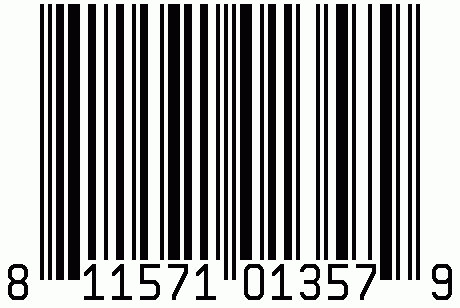
Important attributes include GTIN or UPC identifiers, accurate pricing, and correct availability. Missing identifiers or pricing mismatches between the shopping feed and the landing page can trigger disapprovals or limit delivery.
Maintaining consistent product data helps ensure listings remain competitive and reduces wasted spend.
Step 8: Use Custom Labels to Improve Control
Custom labels allow advertisers to segment products based on attributes such as profit margin, best sellers, seasonality, or flash sales.
This allows advertisers to segment products more effectively, optimize budget management, and improve return on ad spend within shopping campaigns.
Step 9: Feed Optimization Improves Performance Max (PMAX)
Performance Max campaigns rely heavily on product feed data.
A strong shopping feed improves how Google matches listings to search queries and expands placements across Google’s advertising network. Weak feeds often lead to irrelevant traffic, unrelated searches, and wasted spend.
In many cases, when Performance Max campaigns struggle, the root cause is the feed rather than campaign structure.
Step 10: Tools That Make Feed Optimization Easier
Several tools can help simplify feed management. Free tools include Google Merchant Center diagnostics, feed rules, and supplemental feeds. Paid tools such as DataFeedWatch, Feedonomics, and GoDataFeed can help automate feed management at scale.
Even simple feed rules, such as rewriting product titles or filling missing attributes, can produce meaningful improvements in performance.
Final Thoughts
Running profitable Google Shopping campaigns is not only about advanced tactics or increasing ad spend. The real foundation is a well-structured product feed.
When the Google Shopping feed clearly communicates product information through optimized product titles, accurate product categories, high-resolution images, and complete product data, Google can better match listings to search intent.
This leads to higher impression share, stronger click-through rate, improved conversion rates, and less wasted spend.
Need help optimizing your Google Shopping campaigns?
Get in touch with Search Pros today.